To prepare artwork for custom spiral notebooks, send a vector logo or the highest-resolution file you have, keep text and logos away from the punched binding edge, and decide what goes on the back cover and inside pages. Customized Spiral Notebooks then returns a free mockup within 24 hours so you can check placement before anything prints.
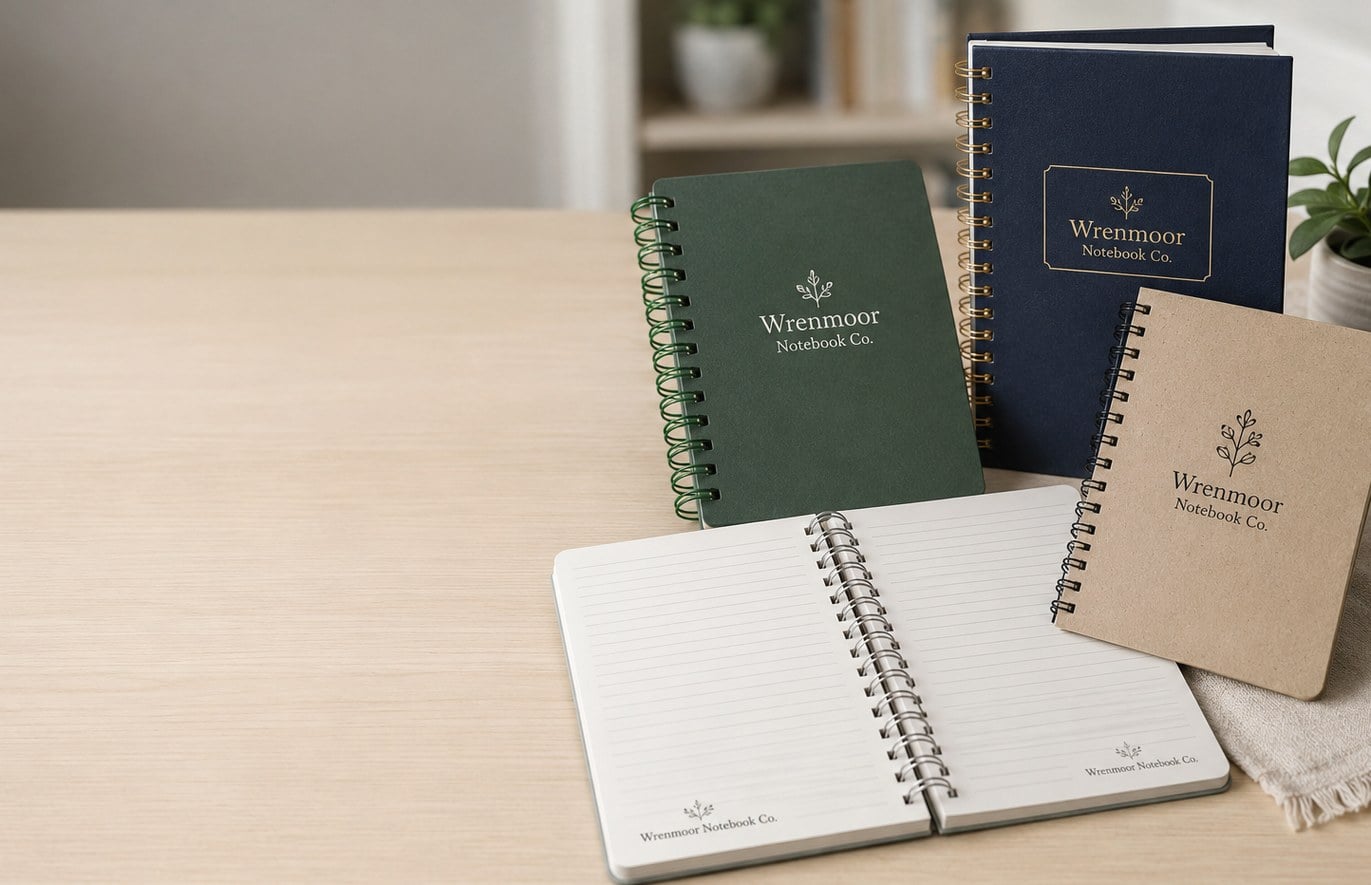
- Vector logo files (AI, EPS, SVG or vector PDF) give the sharpest cover print.
- The punched binding edge removes a strip of the cover, so keep logos and text clear of it.
- Customized Spiral Notebooks returns a free mockup within 24 hours, with unlimited free revisions.
- Orders start at a minimum of 12 spiral notebooks, and you pay nothing until you approve the design.
- Standard turnaround is about 2 weeks after proof approval.
What file format should I send for a custom spiral notebook cover?
The best file for a custom spiral notebook cover is a vector logo: an AI, EPS, SVG or a PDF exported from a design program with the shapes kept as vectors. Vector art scales to any cover size without blurring, so the same file works on a small pocket notebook and a large hardcover one.
If you only have a PNG or JPG, send the largest version you can find, ideally the original file from whoever designed the logo rather than a copy saved from a website or email signature. Web images are built for screens, and when they are stretched across a full notebook cover the edges turn soft and the colors can shift.
Fonts are the other common snag. If your cover design includes a tagline, a department name or an event title, either convert the text to outlines or tell the team the exact font name so the mockup matches. When you are not sure what you have, upload everything on the quote form and Customized Spiral Notebooks will tell you which file works best.
- Best: AI, EPS, SVG or vector PDF
- Workable: large, original PNG with a transparent background
- Risky: small JPG screenshots, logos copied from a website, photos of printed material
How does the spiral coil change where my logo can go?
The spiral coil changes your layout because every spiral notebook is punched with a row of holes along the binding edge, and that strip of the cover is lost to the punch and hidden behind the coil. Anything placed too close to that edge, such as the first letter of a word or the corner of a logo, can be cut through or tucked under the wire.
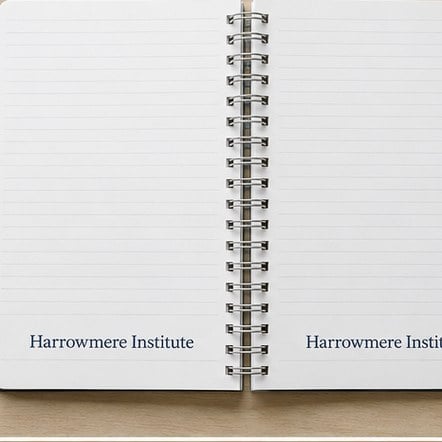
The safe approach is to treat the binding edge as a no-text zone and center your main logo in the open area of the cover, not in the exact center of the full sheet. That small shift makes the cover look balanced once the coil is in place. The same thinking applies to the inside pages: the punch line decides how much of each page is usable, which is why custom headers and footers sit inward from the holes.
Side-bound and top-bound notebooks need different layouts. A top-bound reporter-style notebook loses a strip across the top, so a logo designed for a side-bound cover may need to drop lower on the page. Tell Customized Spiral Notebooks which binding direction you want before the mockup is drawn, and compare the options on the twin-loop wire vs. plastic coil page if you have not chosen a binding yet.
Should the design run to the edge of the notebook cover?
A spiral notebook cover design can run to the edge, but only if the artwork extends past the trim line so there is no thin white sliver after cutting. Printers call this extra margin bleed, and it matters most for full-color backgrounds, photographs and solid brand colors that are meant to wrap the entire cover.
If your design is a simple logo on a plain colored or kraft cover, bleed does not matter much, because the background comes from the cover stock itself. If your design is a full-bleed photo or pattern, build the file slightly larger than the finished cover and keep critical text well inside the edge. You do not need to calculate the exact allowance yourself: send what you have, and the mockup from Customized Spiral Notebooks will show where the trim and the binding edge fall.
| Cover style | Needs bleed? | What to watch |
|---|---|---|
| Logo on a solid stock color | No | Logo size and distance from the punched edge |
| Full-color printed background | Yes | Extend the background past the trim line |
| Photo or pattern wrap | Yes | Keep faces, text and logos away from every edge |
| Hardcover spiral notebook | Depends on design | Board edges and corners, covered on the hardcover page |
How do I keep brand colors accurate on a printed notebook cover?
Brand colors stay most accurate on a printed spiral notebook cover when you share your official color references, such as Pantone numbers or the CMYK values from your brand guide, instead of relying on how the color looks on your monitor. Screens glow with light, while a cover reflects it, so the same file can look brighter on a laptop than on paper.
The cover stock also affects color. A bright white coated cover gives crisp, saturated color. A recycled or kraft cover softens and warms every shade, which many brands like for an earthy look but which can surprise a buyer expecting an exact match. If you are considering the recycled and sugarcane notebooks, mention it early so the mockup reflects that stock.
Dark designs on dark covers, thin light lines on busy backgrounds and very small reversed text are the usual problems. Ask for higher contrast if your logo has fine detail, and keep a simple one-color version of the logo ready in case the full-color version loses definition at notebook size.
What can I print on the back cover and the inside pages?
Beyond the front cover, custom spiral notebooks can carry artwork on the back cover, the inside covers and the interior pages, and planning those areas at the artwork stage avoids a second round of revisions. Many buyers leave the back cover plain, but it is one of the most useful spaces on the notebook.
- Back cover: a website, a QR code, a short mission line, contact details or a sponsor mark.
- Inside front cover: an ownership line for a name, a welcome message, a code of conduct or a map of a campus or venue.
- Page headers or footers: a small logo or a date line on each ruled page.
- Divider pages: section titles printed on the tabs of tabbed and sectioned notebooks.
For a QR code, send the destination link along with the code and test that the link will stay live for the life of the notebook. For interior headers, keep the mark small and light so it does not compete with handwriting. Customized Spiral Notebooks shows every printed area in the mockup, so you can see the front, back and inside together before approving.
Can one order of spiral notebooks have different cover designs?
One order of custom spiral notebooks can include design variations, such as different names, department titles, color versions or event dates, as long as the overall layout stays consistent. The cleanest way to handle this is a master design with clearly marked variable fields, plus a simple spreadsheet listing each version and how many of each you need.
Variation is common for schools that want a different color for each grade, companies that print a team name on each notebook and events that add a speaker or track name. Share the full list when you request a quote, not after the mockup is approved, because the number of versions shapes how the proof is prepared. Schools planning this kind of run will find more ideas on the custom spiral notebooks for schools page.
Double-check every name and title in your spreadsheet before you send it. Spelling errors in variable data are the hardest artwork mistakes to catch, because each version looks fine on its own and the proof reviewer may only see a sample.
What should I check on the mockup before approving?
Before approving a spiral notebook mockup, check spelling, logo placement against the binding edge, color expectations for the chosen cover stock and the content of every printed area, not only the front cover. Approval is the point where the design locks and production starts, so a slow, careful read pays off.
- Read every word aloud, including small print, web addresses and dates.
- Confirm the logo and any text sit clear of the punched binding edge.
- Check the binding direction, coil style and coil color match what you asked for.
- Review the back cover, inside covers and interior page headers.
- Confirm the version list and quantities if the order has variations.
- Ask a second person, ideally whoever owns the brand, to sign off.
Customized Spiral Notebooks offers unlimited free revisions, and you pay nothing until you approve the design, so there is no reason to approve a proof you are unsure about. Once approved, standard turnaround is about 2 weeks, with faster turnaround available through express shipping. The full sequence is laid out on the how it works page.
Which artwork mistakes cause the most reprints?
The artwork mistakes that most often spoil custom spiral notebooks are low-resolution logos, text placed in the punch zone, outdated logo versions and typos in names or dates. Nearly all of them are caught at the mockup stage if the reviewer knows to look.
Outdated logos are surprisingly common: a file pulled from an old shared drive can carry a retired tagline or an earlier color. Ask your marketing contact for the current approved version before you upload. Thin script fonts and tiny legal lines are another risk, because the textured surface of some cover stocks can soften very fine strokes.
The last mistake is leaving decisions open. If you have not chosen between a plastic coil and a wire binding, a plain or perforated interior, or a soft or hard cover, the mockup has to be redrawn later. Settling those choices first, using pages such as perforated tear-out notebooks and plastic coil notebooks, keeps the artwork round to a single, clean proof.
Frequently asked questions
Can I send a logo from my website for a custom spiral notebook cover?
A logo saved from a website can work for custom spiral notebooks, but web images are usually small and built for screens, so they can print soft on a full cover. Send the original vector file from your designer if possible. If the website version is all you have, upload it anyway and Customized Spiral Notebooks will tell you whether it will hold up at notebook size.
Which way should a logo face on a top-bound spiral notebook?
On a top-bound spiral notebook, the logo should read upright when the coil is at the top, like a reporter pad, and it needs to sit lower on the cover than on a side-bound design because the punched strip runs across the top edge. Tell the team your binding direction early so the mockup places the logo correctly from the first draft.
Do I need to convert fonts to outlines for notebook cover artwork?
Converting fonts to outlines is the safest way to send notebook cover artwork, because the text then prints exactly as designed even if the printer does not have your font installed. If you cannot outline the text, name the exact font and weight in your quote request. Customized Spiral Notebooks will match it in the mockup so you can confirm before printing.
Can a custom spiral notebook cover use a photograph?
A custom spiral notebook cover can use a photograph, such as a campus building, a product shot or a landscape, as long as the image file is large and sharp. Photos that fill the cover need bleed past the trim line, and important details should stay away from the punched binding edge. Send the original camera or stock file rather than a compressed copy.
Should I send separate files for the front and back of a notebook?
Separate files for the front and back of a custom spiral notebook are helpful but not required. A single PDF with labeled pages, or one file per printed area with clear names such as front, back and inside cover, makes the mockup faster. Customized Spiral Notebooks will confirm which artwork goes where before anything prints, so nothing is placed on the wrong side.
How small can text be on a custom spiral notebook cover?
Text on a custom spiral notebook cover should be large enough to read comfortably at arm's length, and very fine script or thin strokes can soften on textured or recycled stocks. Rather than relying on a fixed rule, check the mockup at actual size on screen or printed at home. If a tagline looks cramped, ask for it to be enlarged or removed.
Can I add a QR code to the back of custom spiral notebooks?
A QR code fits well on the back cover of custom spiral notebooks, where it can link to a website, a sign-up page, a course portal or a donation page. Send the destination link with the code, use a high-contrast version on a light area, and pick a link that will stay live. Customized Spiral Notebooks places the code in the mockup for you to scan.
What if my logo is a different color on every brand document?
Inconsistent logo colors are worth settling before ordering custom spiral notebooks, because the printed cover becomes a lasting reference. Ask whoever owns your brand for the official color values, then share those with the artwork. If no guide exists, choose the version you want and tell Customized Spiral Notebooks to match it, and review the shade carefully on the mockup.
Can the coil color be chosen to match the cover artwork?
Coil color on custom spiral notebooks can be chosen to complement the cover artwork, for example a black or white coil with a minimal design or a colored plastic coil that echoes an accent in the logo. Mention your preferred coil color when you send artwork so the mockup shows the whole notebook together, then adjust it during revisions if the pairing does not look right.
How many artwork revisions are included for custom spiral notebooks?
Customized Spiral Notebooks includes unlimited free revisions on custom spiral notebook mockups, so you can adjust logo size, placement, colors, back-cover content or interior headers until the design is right. The first mockup arrives within 24 hours, and you pay nothing until you approve the design. Collect feedback from every stakeholder before replying to keep each round focused.
Who should sign off on custom spiral notebook artwork at a company?
Sign-off on custom spiral notebook artwork usually belongs to the person who owns the brand, such as a marketing lead, plus the person who ordered the notebooks for a specific team or event. A second reader catches typos and outdated logos the first reviewer misses. Share the Customized Spiral Notebooks mockup link with both before approving so production is not held up.
Can I reuse approved notebook artwork for a later reorder?
Approved artwork for custom spiral notebooks can be reused for a later reorder, which makes repeat runs for new classes, new hires or annual events much simpler. Mention your earlier order when requesting a quote and flag any changes, such as an updated date or a new logo. Customized Spiral Notebooks will send a fresh mockup so you can confirm before printing.
Get a free mockup for your spiral notebooks
Send your logo or idea and the quantity you have in mind. Customized Spiral Notebooks returns a free mockup within 24 hours, you approve the design before anything is produced, and standard turnaround is about two weeks with faster options available. Get a custom quote.